


ArtistAI: Ai Image Generator
4.53.63K Reviews
App Specs
- Version
- 1.3.6
- Updated On
- License
- Free
- Downloads
- 1,000,000+
- Developer
- LeoStudio Global Ltd.
- Categories
- Art & Design
- Platform
- Android, iOS
Screenshots
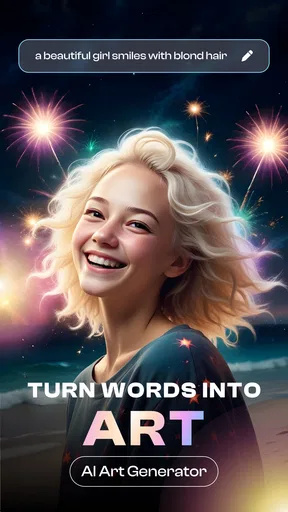
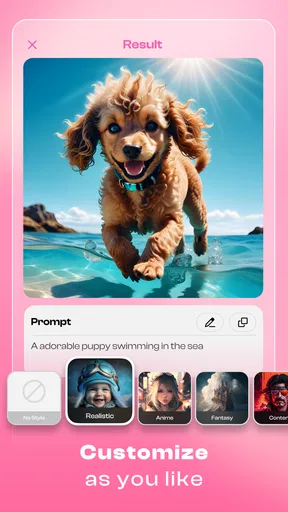
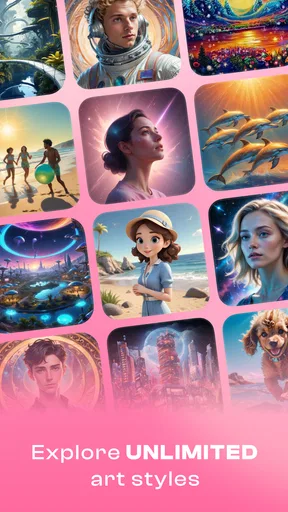
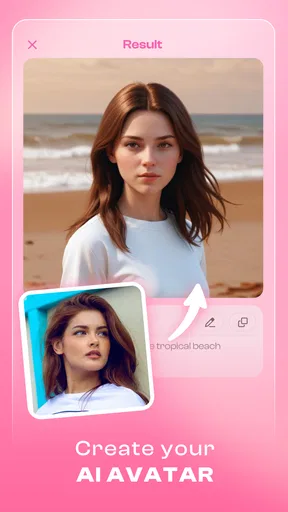
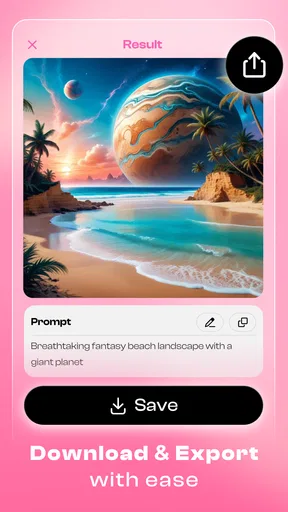
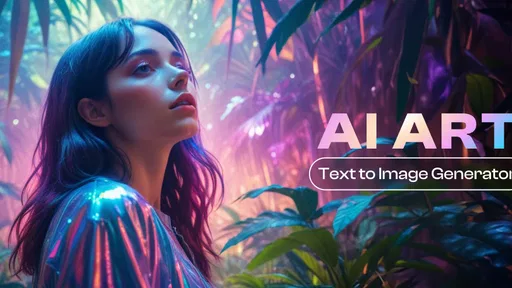
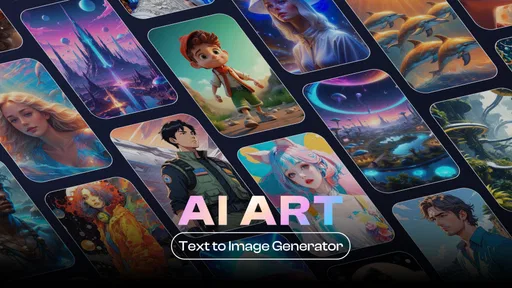
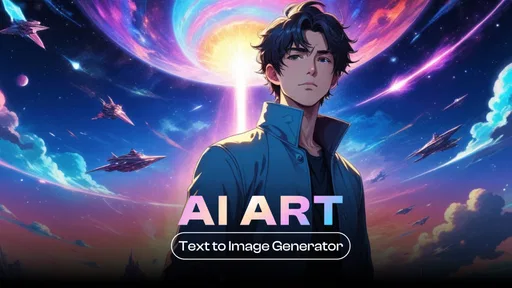
 Analysis by AppCompare
I recently got my hands on ArtistAI: Ai Image Generator, and let me tell you, it’s like having a creative genie in your pocket. If you’ve ever found yourself wishing you could whip up digital art without starting from a blank canvas, this app may suit you. I’d also keep one practical point in mind from the outset: its AI-focused tools make the experience naturally dependent on a working connection, so it’s best approached as a mobile creative companion rather than a guaranteed anytime, anywhere studio.
When a connection is part of the creative process
ArtistAI brings together several kinds of image-making and editing tools, from AI-generated pictures to photo enhancement, face swaps, and tattoo concepts. That breadth is appealing, but these are not the same as simple edits such as cropping a picture or adjusting brightness. When an app has to interpret a prompt or transform an image with AI, a stable network connection is an important part of getting through the creative process smoothly.
I’d plan to open it when I have a reliable connection, especially if I’m uploading a photo or trying several variations. A prompt can be ready in seconds, but the useful part is seeing what the app makes of it, deciding what to change, and trying again. If I were on a weak public connection, I would avoid starting a session that depends on repeated image generation; interruptions can turn a quick creative break into a stop-and-start one.
Good fit for short mobile sessions
The app’s appeal is that it brings playful visual experimentation to a phone. I can imagine using it to make a stylized picture for a group chat, sketch out a tattoo idea before discussing it with an artist, or give a photo a different look for a social post. Those are low-pressure tasks where a surprising result can be more useful than exact, pixel-by-pixel control.
For a realistic everyday example, say I’ve taken a portrait I like but want something more distinctive for a profile image. I could try an art style, compare the result with the original, and decide whether it feels like me before sharing it. My advice is to keep the original photo and treat generated versions as options, not replacements. That makes it easier to back out if a transformation changes a detail I wanted to preserve.
What to do when a result misses the mark
AI results can be unpredictable. A style may make a face look different, alter small details, or take a prompt in a direction I did not intend. That does not make the app useless; it does mean I would not rely on the first result for something where accuracy matters. I’d experiment with a less crowded source image, change one part of the request at a time, and compare the new result with the original rather than stacking several changes blindly.
If an image takes longer than expected or a session is interrupted, I would first check the connection and try again when it is stable. For important work, I’d save a version I like before experimenting further, if the available workflow permits it. The practical lesson is to use ArtistAI for exploration and visual ideas, not as the only copy of an image or as a dependable production pipeline.
Worth Reading Before You Choose

EA SPORTS FC Mobile 26 Is a Bigger Football Game, but It Takes Time

Flipboard Shows What News Apps Must Do Beyond the Feed

Switching to Android Auto Means Rethinking Your Driving Routine

Google Calendar Makes a Crowded Week Easier to Manage

Ludo King Makes the Most of the Minutes Between Plans

Baby Panda World Brings Quick Play to Modern Phones, but Its Game Library Feels Busy
Use personal images thoughtfully
Portrait effects and face-swapping tools can be entertaining, but they call for more care than applying a style to a landscape. I would only use pictures I have permission to edit, and I’d think twice before sharing a transformed image of someone else. A convincing-looking edit can be misunderstood outside the original context, so a quick note that it is an effect can prevent confusion.
It is also worth being selective about what you upload. If a photo contains private details in the background, crop or choose another image before experimenting. That is a sensible habit with any connected image tool, and it lets me focus on the creative result without casually exposing information that has nothing to do with the edit.
Making the app work for your style of creativity
First things first, let's talk about the user interface. The app is sleek and intuitive. You don’t have to be a tech wizard to navigate through it, and that’s a huge relief. Everything is laid out in a way that makes sense, so you’re not left scratching your head wondering what to do next.
Once you dive in, you’ll find a treasure trove of art styles to choose from. Whether you’re into abstract, landscape, or even manga, ArtistAI has got you covered. It’s as simple as selecting a style, uploading a photo, and voilà – your image is transformed into a masterpiece. It’s seriously addictive!
The Magic Behind the Curtain
What really blew me away is how quickly the app processes images. I was expecting to wait around for a bit, but nope! It’s lightning fast. This speed doesn’t come at the cost of quality either. The results are crisp and vibrant, almost as if a professional artist spent hours on it.
The secret sauce here is the AI technology working its magic behind the scenes. It analyzes your image and applies the chosen style in a way that enhances the original details. It’s not just a filter slapped on top; it’s a thoughtful transformation that respects the essence of your photo.
Customization Galore
Now, if you’re someone who likes to have a bit more control, the app offers a decent range of customization options. You can tweak the intensity of the style, adjust colors, and even mix and match different elements. It’s like being given the keys to an art studio, minus the mess of paint and brushes.
One feature I found particularly cool is the ability to save your preferred settings. This means if you hit upon a combo that you absolutely love, you can easily recreate it for future projects. No more fiddling around trying to remember what you did last time. Trust me, it’s a lifesaver.
Sharing is Caring
Once you’ve created your digital masterpiece, sharing it with the world is a breeze. The app integrates seamlessly with social media platforms, so you can show off your work to family and friends with just a tap. There’s something incredibly satisfying about seeing your creation get those well-deserved likes and comments.
Plus, if you’re feeling generous, you can even send your artwork directly to friends. It’s a great way to spread a little creativity and brighten someone’s day.
How it compares with other creative tools
I see this as a different kind of option from a traditional drawing app. A drawing app rewards careful manual work: you choose the brush, shape each mark, and build the image yourself. ArtistAI is more about giving an existing photo or idea a new direction quickly. If your goal is to practice illustration or control every line, a drawing app is the better fit; if you want to explore a visual concept without starting from scratch, this is the more approachable route.
It also occupies a middle ground between a basic photo editor and a desktop design program. A standard editor is usually the better choice for predictable corrections, such as precise retouching or a consistent crop. A desktop tool gives more control over layers and final composition. ArtistAI’s strength is the speed of trying a stylistic transformation on a phone, while its trade-off is that the result may need another tool if you want exact, repeatable finishing.
Small workflow choices that improve results
For a more useful comparison between styles, I’d start from the same source photo and change just one choice at a time. If I alter the image, style, and intensity all at once, it becomes hard to tell what improved the outcome. A clear subject and a relatively uncluttered background also give me a better chance of judging the effect itself instead of getting distracted by unrelated details.
I would make a few versions for inspiration, then choose one to refine rather than endlessly generating alternatives. That is especially helpful when working on a tattoo concept: an AI image can help communicate a mood or broad direction, but I would take the idea to a tattoo artist for a design that fits the body and can actually be tattooed well. The app is a starting point for conversation, not a substitute for that craft.
Who will enjoy it, and who may want something else
ArtistAI makes most sense for curious phone users who enjoy visual play, want quick ideas for social content, or like seeing a familiar photo reimagined. The mix of image generation, face effects, tattoo concepts, and enhancement gives me several reasons to explore, even if I only use one tool in a particular session. It is especially appealing if I value an easy first step more than detailed manual control.
I would skip it as my main choice if I needed dependable, precise editing for client work, a consistent batch workflow, or complete control over every element. It is also not the right place to treat a generated face or tattoo design as an accurate final product. Those jobs call for specialist software or a human professional, depending on the task. For casual experimentation, though, a little unpredictability is part of the fun.
Cost, age, and what to expect before installing
The app is free to install, while in-app purchases range from $0.99 to $79.99 per item. I’d explore the free experience first and check the purchase screen carefully before committing to anything, particularly if I’m only interested in occasional edits. The range makes it worth being deliberate: decide what you want to accomplish before paying, rather than assuming every tool or use pattern will suit you.
ArtistAI is made by LeoStudio Global Ltd. and sits in the art-and-design space. It has a 4.5 average from around 60,000 ratings, with about 3,600 written reviews, and has passed one million installs. It is rated for teens, so I would keep that audience in mind when deciding whether it is suitable for a younger user, especially given the image and face-editing angle. The current version is 1.3.6, and it requires Android 8.0 or later.
Why You Should Give It a Go
So, why should you consider giving ArtistAI: Ai Image Generator a spin? Well, if you’re someone who loves art but doesn’t have the time or skills to create it from scratch, this app is a game-changer. It’s also perfect for social media enthusiasts looking to up their content game with eye-catching visuals.
Whether you’re using it for fun or to add a touch of flair to your online presence, the app delivers on its promise to turn ordinary photos into extraordinary works of art. It’s like having a personal art assistant that’s always ready to help you unleash your inner artist.
So go ahead, give ArtistAI a try. You might just surprise yourself with what you can create.
My connectivity verdict
For me, the best way to use ArtistAI is as an occasional creative stop when I have a decent connection, a photo worth experimenting with, and a clear idea of what I want to try. I would not choose it for connection-free work or for a task that cannot tolerate interruptions. Used with that expectation, its mobile convenience and broad creative focus are genuine draws; used as a replacement for a precise editor or a professional art workflow, it is easier to run into its limits.
Pros
- User-friendly interface for easy navigation.
- Generates high-quality
- realistic images.
- Customizable art styles enhance creativity.
- Fast processing with minimal lag.
- Regular updates with new features.
Cons
- Requires internet connection for full functionality.
- Limited free options; in-app purchases needed.
- Occasional ads can interrupt usage.
- May drain battery quickly on older devices.
- Some features locked behind subscription.
FAQs for ArtistAI: Ai Image Generator
What features does ArtistAI: AI Image Generator offer?
ArtistAI provides users with a variety of features, including the ability to generate high-quality images using AI technology. It offers multiple art styles, customization options, and filters. Users can input prompts to guide the AI in creating specific images, making it versatile for artists and casual users alike.
How user-friendly is ArtistAI for beginners?
ArtistAI is designed with a user-friendly interface that caters to both beginners and experienced users. It includes easy-to-follow tutorials and intuitive controls that make navigating the app straightforward. Beginners can start creating art with just a few taps, while more advanced users can explore deeper customization options.
Is an internet connection required to use ArtistAI?
Yes, an internet connection is necessary for ArtistAI to function properly. The app relies on cloud-based processing to generate images in real-time using AI algorithms. This ensures that users have access to the latest updates and features, but it also means that offline use is limited.
What privacy concerns should users be aware of?
ArtistAI takes user privacy seriously and implements measures to protect data. However, users should be aware that image prompts and generated content may be processed through the app's servers. It's important to review the app’s privacy policy to understand how data is handled and what information might be collected.
Are there any in-app purchases or subscription fees?
ArtistAI offers a basic version for free, but it includes optional in-app purchases and subscription plans. These provide access to premium features such as additional art styles, advanced tools, and ad-free usage. Users can choose a plan that best fits their needs and budget, with the option to upgrade at any time.


